

“Cannot connect to Roku” / Error Code 011 during setup
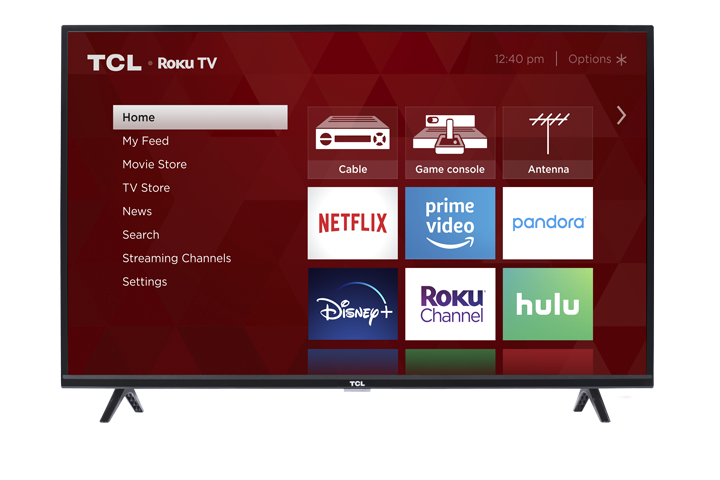
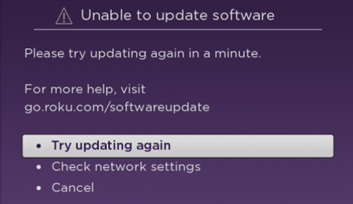
While setting up your TCL Roku TV (first-time setup or after a factory reset), the TV connects to the internet and then automatically checks for the latest software update. If you see “Cannot connect to Roku” or Error Code 011, it means the TV can’t reach Roku’s software update server, so the update can’t complete.
Step 1: Wait and try again
Temporary network or service hiccups can cause this.
Wait a few minutes
Select Try again on the TV screen
Step 2: Check for Roku service alerts (using a phone or computer)
If the update keeps failing, check TCL’s support guidance: look for any alerts that indicate Roku’s update service is having an issue. If there’s an outage, try again later.
Step 3: Confirm the TV is still connected to the internet
If your TV shows it’s no longer connected, follow the on-screen prompts to reconnect to your home network and then retry the update.
Quick connection tips
Restart your modem/router (unplug 30 seconds, plug back in).
Double-check the Wi-Fi password (case-sensitive).
Avoid networks that require a web sign-in page (common in apartments/hotels), since they can block updates.
-
Step 4: Restart and retry the update
A restart can refresh the connection used for the update.
Power cycle the TV: unplug for 30 seconds, plug back in, then try again.
If available, try a wired Ethernet connection for a more stable update.
-
If you’re still stuck
Error Code 011 is almost always caused by either:
A temporary issue reaching Roku’s update servers, or
A home network/router restriction preventing the TV from contacting the update server.