


Lorsque vous achetez un support mural pour téléviseur, vous devrez d'abord décider quel type de support acheter, puis en sélectionner un qui correspond aux spécifications de montage VESA de votre téléviseur.
Après avoir sélectionné le type de support, vérifiez qu'il est compatible avec la norme VESA de votre téléviseur. La norme VESA se mesure en distance horizontale et verticale entre les trous de fixation. Une norme VESA de 200 mm x 200 mm signifie que les trous de fixation sont espacés de 200 mm. Consultez le tableau à la fin de ce document pour connaître la norme VESA de votre téléviseur.
Vérifiez ensuite que vous utilisez les vis appropriées pour fixer votre téléviseur. L'utilisation de vis de longueur incorrecte peut endommager votre téléviseur, ce qui n'est pas couvert par la garantie du fabricant. Les kits de montage sont généralement fournis avec des vis, et certains avec des entretoises. Suivez les instructions des kits de montage, mais assurez-vous d'utiliser des vis de longueur appropriée. Consultez le tableau à la fin de ce document pour connaître la taille de vis de montage appropriée.
Vérifiez également que le poids de votre téléviseur ne dépasse pas la charge maximale autorisée par le support. Consultez le tableau à la fin de ce document pour connaître le poids de votre téléviseur suspendu.
Après avoir vérifié le modèle VESA, la longueur des vis et le poids requis pour votre téléviseur, suivez les instructions du fabricant du support pour l'installation. Il est recommandé de prendre une photo de l'étiquette du numéro de série à l'arrière de votre téléviseur avant de procéder à l'installation. Cela vous permettra de le retrouver en cas de besoin ultérieur de garantie.
Différents styles de supports muraux
Les supports fixes sont les plus simples et offrent le moins d'options. Avec un support fixe, le téléviseur est fixé au mur et ne peut ni bouger ni s'incliner.
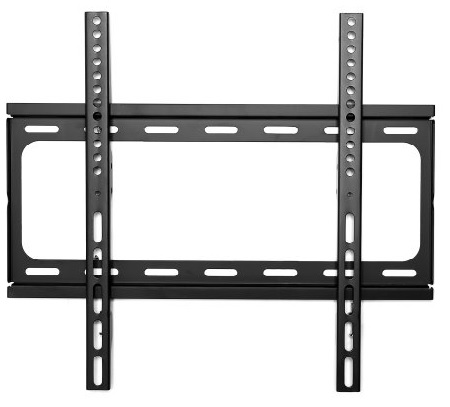
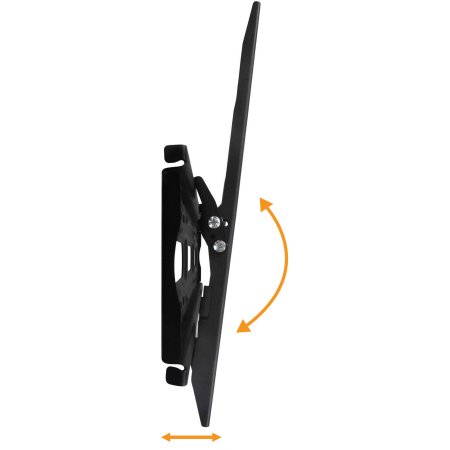
Les supports inclinables se placent à quelques centimètres du mur, ce qui permet au téléviseur de s'incliner de haut en bas selon un angle.
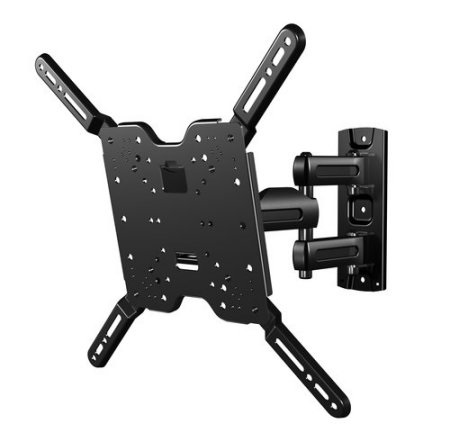
Les supports inclinables et pivotants, ou supports orientables, permettent d'incliner le téléviseur vers le haut et vers le bas, mais aussi vers la gauche et vers la droite. Ces supports éloignent généralement le téléviseur du mur de quelques centimètres.
Trous de vis de montage
Vous trouverez ci-dessous les emplacements des trous de vis de montage. L'exemple ci-dessous concerne un téléviseur de 32 pouces.
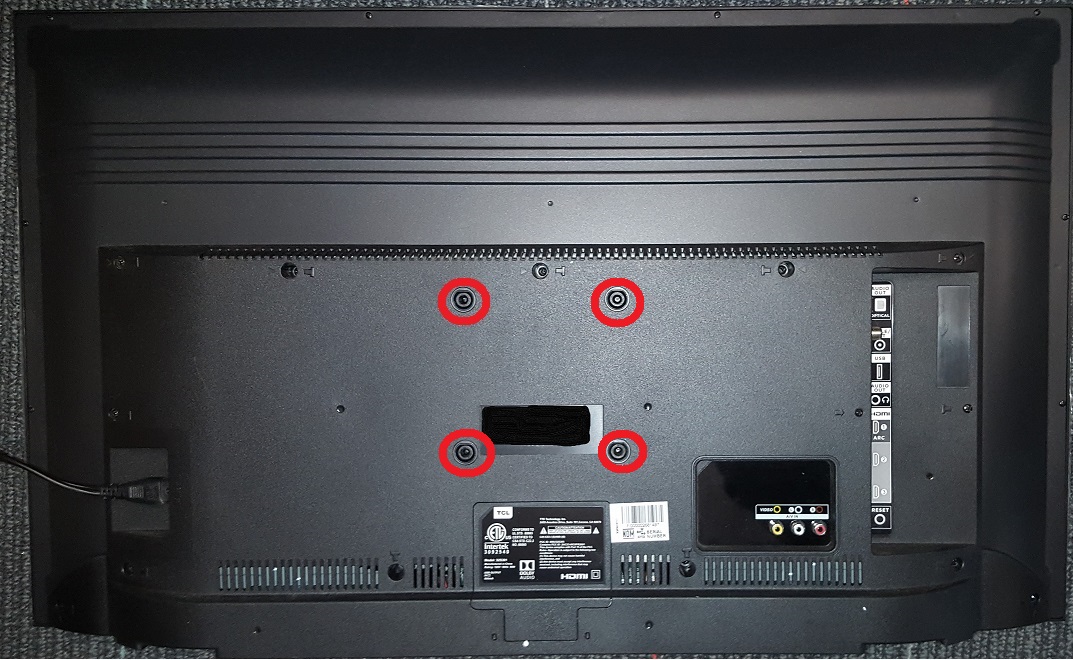
La photo ci-dessous montre l'emplacement du trou de vis de montage sur un téléviseur 55".
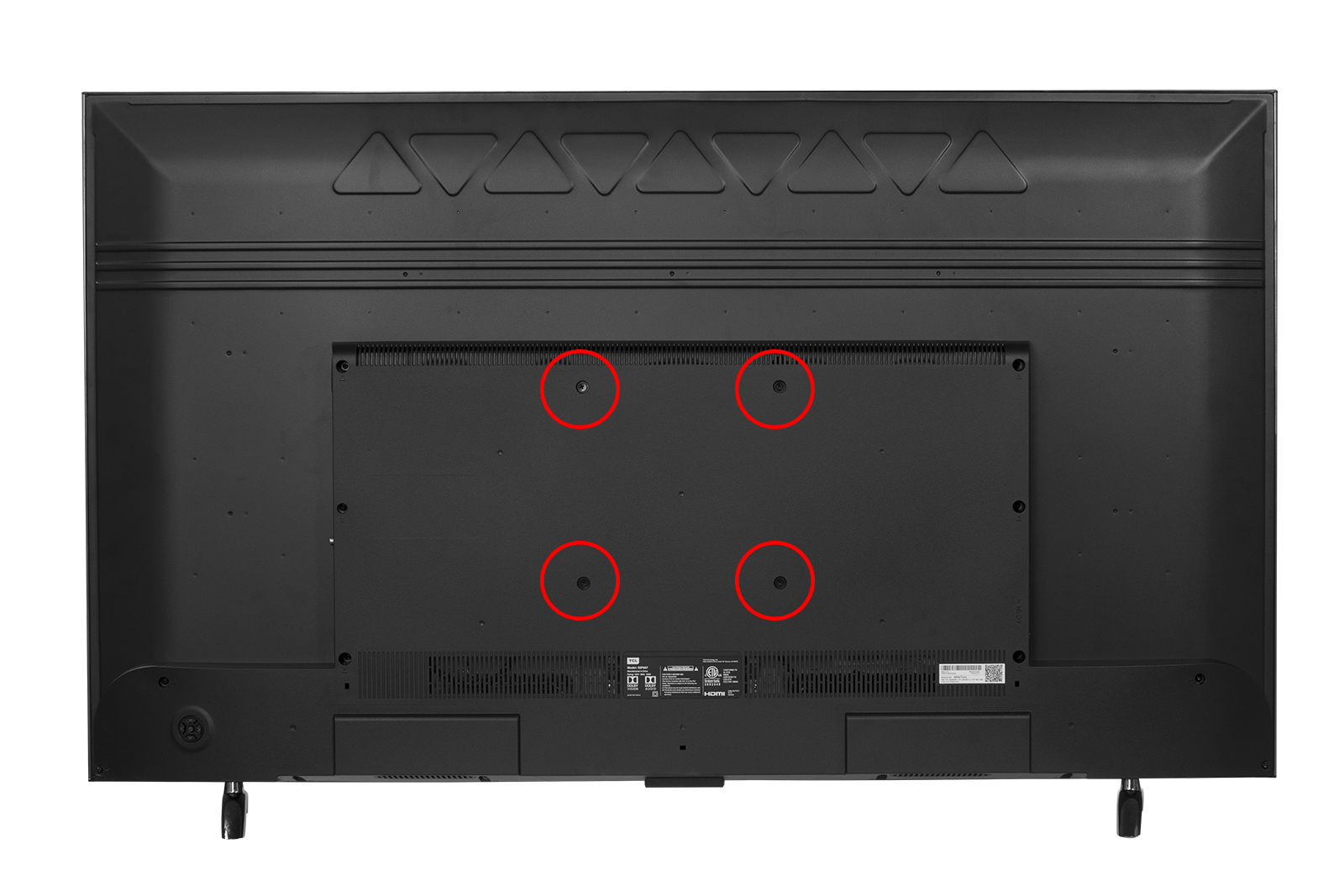
Spécifications du téléviseur et tailles de vis pour le montage
| Modèle |
Modèle VESA |
Taille de la vis |
Poids (Sans support) |
| 28S305 |
100 mm x 100 mm |
M4 x 12 |
7,3 livres |
| 32D100 |
100 mm x 100 mm |
M4 x 12 |
9,7 livres |
| 32S301 |
100 mm x 100 mm |
M4 x 12 |
13,2 livres |
| 32S305 |
100 mm x 100 mm |
M4 x 12 |
9,7 livres |
| 32S331 | 100 mm x 100 mm |
M4 x 10 | 8,0 livres |
| 32S335 | 100 mm x 100 mm |
M4 x 10 |
8,0 livres |
| 40D100 |
100 mm x 100 mm |
M4 x 12 |
13,7 livres |
| 40S303 |
100 mm x 100 mm |
M4 x 25 |
14,6 livres |
| 40S305 |
100 mm x 100 mm |
M4 x 12 |
14,4 livres |
| 43S303 |
100 mm x 100 mm |
M4 x 25 |
16,8 livres |
| 43S305 |
100 mm x 100 mm |
M4 x 12 |
16,6 livres |
| 43S403 |
100 mm x 100 mm |
M4 x 12 |
16,6 livres |
| 43S405 |
100 mm x 100 mm |
M4 x 12 |
16,8 livres |
| 43S425 |
100 mm x 100 mm |
M6 x 12 | 16,3 livres |
| 43S515 | 200 mm x 200 mm |
M6 x 12 |
18,5 livres |
| 43S517 | 200 mm x 200 mm | M6 x 12 |
18,5 livres |
| 43S525 | 100 mm x 100 mm |
M6 x 12 |
17,6 livres |
| 49D100 |
200 mm x 200 mm |
M6 x 16 |
24,9 livres |
| 49S303 |
200 mm x 200 mm |
M6 x 16 |
25,4 livres |
| 49S305 |
200 mm x 200 mm | M6 x 16 |
25,4 livres |
| 49S403 |
200 mm x 200 mm |
M6 x 16 |
24,9 livres |
| 49S405 |
200 mm x 200 mm |
M6 x 16 |
25,4 livres |
| 49S425 | 200 mm x 200 mm | M6 x 12 | 21,6 livres |
| 49S515 | 200 mm x 200 mm |
M6 x 12 |
25,8 livres |
| 49S517 | 200 mm x 200 mm |
M6 x 12 |
25,8 livres |
| 50S425 | 200 mm x 200 mm |
M6 x 12 | 23,1 livres |
| 50S525 | 300 mm x 200 mm | M6 x 12 | 23,1 livres |
| 55C803 |
200 mm x 200 mm |
M6 x 25 |
40,0 livres |
| 55C807 |
200 mm x 200 mm |
M6 x 25 |
40,0 livres |
| 55P605 |
200 mm x 200 mm |
M6 x 18 |
32,6 livres |
| 55P607 |
200 mm x 200 mm |
M6 x 18 |
33,1 livres |
| 55R613 |
200 mm x 200 mm |
M6 x 16 |
37,1 livres |
| 55R615 |
200 mm x 200 mm |
M6 x 16 |
37,1 livres |
| 55R617 |
200 mm x 200 mm |
M6 x 16 |
37,1 livres |
| 55R625 | 200 mm x 200 mm |
M6 x 25 |
37,2 livres |
| 55S401 |
200 mm x 200 mm |
M6 x 16 |
30,0 livres |
| 55S403 |
200 mm x 200 mm |
M6 x 16 |
29,5 livres |
| 55S405 |
200 mm x 200 mm |
M6 x 16 |
30,0 livres |
| 55S421 | 200 mm x 200 mm |
M6 x 12 | 26,7 livres |
| 55S425 | 200 mm x 200 mm |
M6 x 12 |
26,7 livres |
| 55S515 | 200 mm x 200 mm |
M6 x 12 |
32,0 livres |
| 55S517 | 200 mm x 200 mm |
M6 x 12 |
32,0 livres |
| 55S525 | 400 mm x 200 mm | M5 x 30 | 28,6 livres |
| 65C807 |
400 mm x 300 mm |
M6 x 25 |
52,0 livres |
| 65Q825 | 300 mm x 300 mm | M6 x 15 | 69,9 livres |
| 65R613 | 300 mm x 300 mm |
M6 x 16 |
51,2 livres |
| 65R615 | 300 mm x 300 mm |
M6 x 16 |
51,2 livres |
| 65R617 | 300 mm x 300 mm |
M6 x 16 |
51,2 livres |
| 65R625 | 300 mm x 300 mm |
M6 x 12 |
52,9 livres |
| 65S401 |
300 mm x 300 mm |
M6 x 16 |
45,4 livres |
| 65S403 |
300 mm x 300 mm |
M6 x 16 |
44,8 livres |
| 65S405 |
300 mm x 300 mm |
M6 x 16 |
45,4 livres |
| 65S425 | 400 mm x 200 mm | M6 x 12 | 38,8 livres |
| 65S515 | 400 mm x 200 mm | M6 x 12 | 48,3 livres |
| 65S525 | 600 mm x 200 mm | M6 x 12 | 43,6 livres |
| 65S517 | 400 mm x 200 mm |
M6 x 12 |
48,3 livres |
| 65S421 | 400 mm x 200 mm |
M6 x 12 |
59,5 livres |
| 75C807 |
600 mm x 300 mm |
M6 x 30 |
71,2 livres |
| 75Q825 | 300 mm x 300 mm |
M6 x 15 |
100,3 livres |
| 75R613 | 300 mm x 300 mm |
M6 x 20 | 78,3 livres |
| 75R615 | 300 mm x 300 mm |
M6 x 20 | 78,3 livres |
| 75R617 | 300 mm x 300 mm |
M6 x 20 |
78,3 livres |
| 75S423 | 300 mm x 300 mm | M6 x 20 | 73,9 livres |
| 75S425 | 300 mm x 300 mm | M6 x 25 | 73,9 livres |