

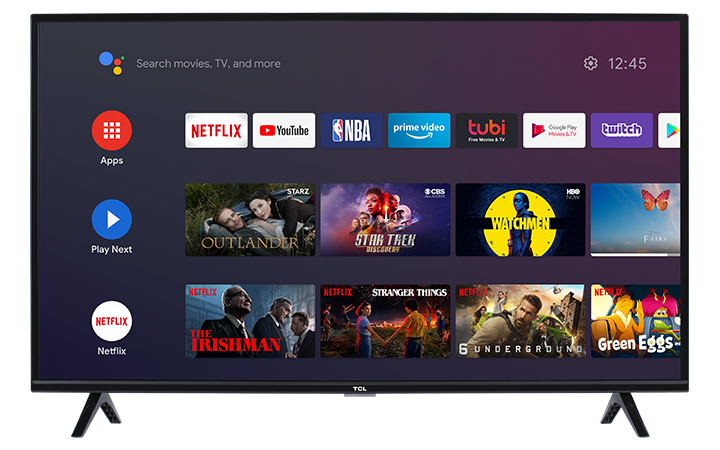

|
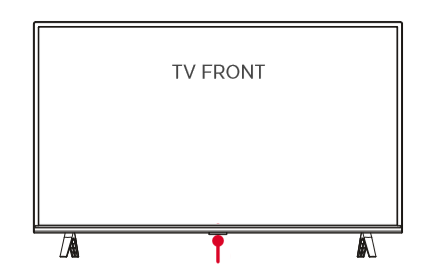
In addition to using your remote, most TCL TVs include a multi-function button on the TV itself. This is typically located underneath the TV, facing downward. - refer to figure on the right. |
 |
-
Turn the TV on (from standby)
Press the multi-function button once to turn the TV on from standby.
-
Open the multi-function menu (while the TV is on)
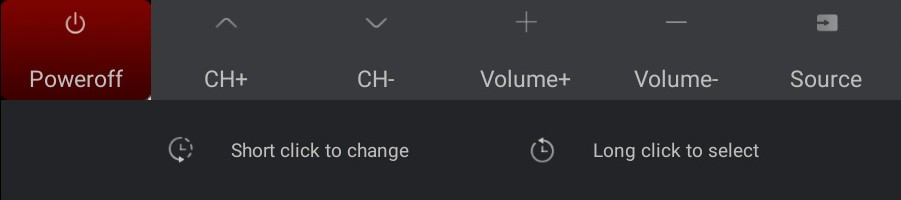
With the TV powered on, press the multi-function button to bring up the multi-function menu on-screen.
This menu lets you control basic TV functions directly from the TV.
-
Navigate and select an option
Once the menu is open:
Press the button to move the highlight to the next option.
Press and hold the button for more than 2 seconds to confirm the highlighted option.
-
Tips and troubleshooting
Location may vary by model:
The button is usually centered under the TV, but it can be slightly off to one side depending on the series. Check your Quick Start Guide for the exact location.-
If the menu doesn’t appear:
Press the button again and wait a moment. If nothing happens, power cycle the TV:Unplug the TV for 30 seconds, plug it back in, then try again.
If the TV won’t turn on:
Confirm the power cable is securely connected and the outlet works (try a different outlet or device).What this button is best for:
Turning the TV on/off and basic navigation when the remote is missing, unresponsive, or out of batteries.