

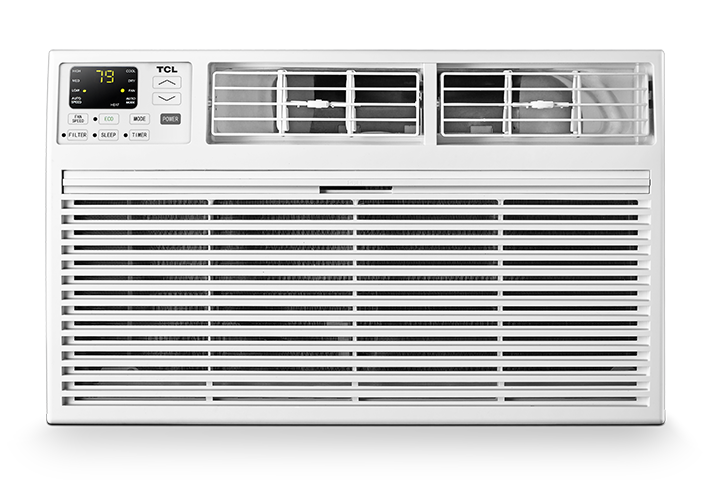

If your TCL window, through-the-wall, or portable air conditioner will not turn on, follow these steps in order.
Safety warning: Stop using the air conditioner if its cord or plug is damaged, unusually hot, producing a burning smell, sparking, or repeatedly tripping the outlet or circuit breaker. |
Step 1: Connect the Air Conditioner Directly to the Wall
- Make sure the plug is fully inserted into a working wall outlet. Do not use a power strip, surge protector, standard extension cord, or smart plug.
Why this step is needed: Air conditioners require more power than many household devices. An unsuitable power accessory can overheat or prevent the unit from receiving sufficient power.
Step 2: Test the Outlet
- Unplug the air conditioner and test the outlet with a small device, such as a lamp or phone charger.
- If the other device does not work, check the circuit breaker or use another confirmed working outlet.
- If the other device works, continue to the next step.
Why this step is needed: This determines whether electricity is reaching the outlet.
Step 3: Check the Circuit Breaker
- Check the home’s breaker or fuse panel for a tripped breaker or blown fuse. Reset a tripped breaker only once.
Why this step is needed: A tripped breaker interrupts power and repeated tripping may indicate an electrical problem.
Step 4: Test the Safety Plug
- Many air conditioners have TEST and RESET buttons on the power plug.
- Plug the air conditioner directly into the wall.
- Press RESET firmly.
- Press TEST. The plug should trip and the Reset button should release.
- Press RESET again before attempting to turn on the air conditioner.
- If the plug does not respond normally, will not reset, or immediately trips again, unplug the air conditioner and stop using it.
Why this step is needed: The safety plug is designed to interrupt power when it detects an unsafe electrical condition.
Step 5: Perform a Power Reset
- Unplug the air conditioner for five minutes.
- Reconnect it directly to the working wall outlet.
- Press RESET on the safety plug, if present.
- Turn the air conditioner on.
Why this step is needed: This clears a temporary control-panel or electrical condition.
Step 6: Allow for the Compressor Delay
- If the display turns on but cooling does not begin, select Cool mode, set the temperature below the room temperature, and wait at least three minutes.
Why this step is needed: Many air conditioners delay compressor operation for several minutes to protect the cooling system. This is different from a complete no-power condition.
If the Air Conditioner Still Does Not Turn On
Contact TCL Support if:
- The outlet works but the display remains blank.
- The safety plug will not reset.
- The plug, outlet, or cord becomes hot.
- The unit repeatedly trips the breaker.
- The unit remains unresponsive after the five-minute reset.
Conclusion
These checks identify whether the problem comes from the outlet, circuit, safety plug, or air conditioner. Do not continue testing a unit that shows signs of electrical damage or repeatedly interrupts power.