

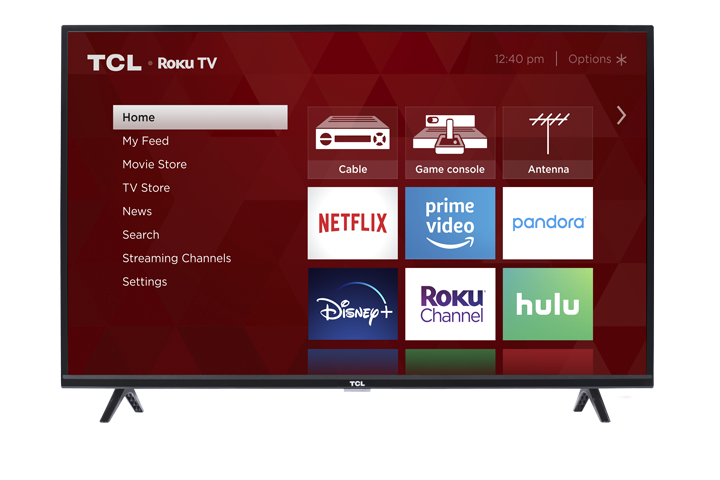
Are you having issues adding the Apple TV app? Can't find the app from the Roku app Store?
You confirmed your TV model is now supported but DIRECTV NOW is still not displaying on the app list.
NOTE: The DirecTV NOW app requires Roku Software Version 7.7 (4111) or higher. Here are the steps to verify your TCL Roku TVs software version:
- Press
 on your remote to open the main screen.
 - Scroll up or down and select Settings.
- Press the right arrow button and select System
- Press the right arrow button and select About
- Press the
 button to view your TV's software version.
 - If necessary, update the software of your TV.
- From the System Info page, press the left arrow button, scroll up or down to select System Update
- Press the button twice and your TV will check to available software updates.
- Once software update is completed, try re-adding DirecTV NOW. Click here for the step-by-step instructions on how to add apps.
Note: During this early launch, DIRECTV NOW will be available on selected TCL Roku TVs. Please verify your TCL Roku TV's model number and see list below if your TV is now supported.
List of Currently Supported Models
***We added more TV Models on the supported list.***
| Currently Supported Models: | |||
| 28S3750 32S3700 32S3750 32S3750-W 32S3800 32S3850 32S3850A/B/P 32S4610R 40FS3750 40FS3800 40FS3850 40FS4610R 55FS4610R 43FP110 |
50FS3800 50FS3850 55FS3700 55FS3750 55FS3850 43UP120 43UP130 50UP120 50UP130 55UP120 55UP130 55US57 55US57-W 55US5800 65US5800 |
28S305 32S301 32S305 40S303 40S305 43S405 43S403 49S403 49S405 65S401 65S403 65S405 55S401 55S403 55S405 |
55P605 55P607 65C803 65C805 65C807 65P605 65P607 49C803 49C805 50P605 50P607 55C803 55C805 55C807 75C807 |