

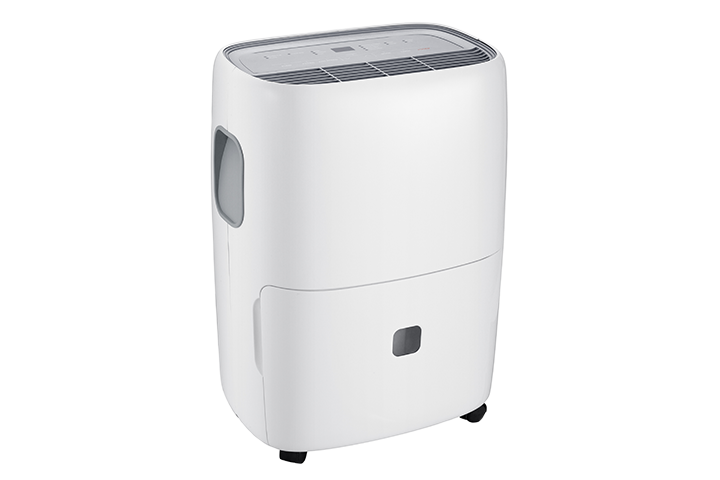

An E3 error generally indicates that the dehumidifier has detected a problem related to the refrigerant system. On some models, operating conditions, restricted airflow, or a sensor problem may also trigger the error.
Follow the steps below to determine whether the error can be cleared or the dehumidifier requires service.
Before You Begin
- Turn off and unplug the dehumidifier before inspecting or cleaning it.
- Do not attempt to open the cabinet or repair the refrigerant system.
- Stop using the unit if its power cord or plug is damaged, unusually hot, sparking, or producing a burning smell.
Step 1: Check the Power Connection
- Plug the dehumidifier directly into a working wall outlet.
- Do not use an extension cord, power strip, surge protector, or smart plug.
- Unplug the dehumidifier for at least four minutes.
Why this is important: A direct connection provides consistent power, while unplugging the unit can clear a temporary electronic error.
Step 2: Inspect the Drain Hose
If a drain hose is connected:
- Make sure the hose is not kinked, folded, pinched, or clogged.
- Confirm that the hose slopes downward and that water can flow through it freely.
- Temporarily disconnect the hose and use the water bucket if you are unsure whether the hose is draining correctly.
Why this is important: Restricted drainage can interfere with normal operation and helps determine whether the hose is contributing to the problem.
Step 3: Check the Water Bucket
- Remove the water bucket.
- Empty it if necessary.
- Reinstall the bucket securely and make sure it sits evenly inside the unit.
Why this is important: The dehumidifier may not operate correctly if the bucket is full or not properly seated.
Step 4: Set the Humidity Level to 40%
- Plug the dehumidifier back into the wall outlet.
- Set the desired humidity level to 40%.
- Turn on the unit and monitor the display.
Why this is important: A lower humidity setting tells the dehumidifier to begin removing moisture and allows you to test whether it can operate normally.
Additional Steps for M Series Dehumidifiers
If the E3 error returns and you have an M Series dehumidifier, complete the following checks.
Step 5: Clean the Air Filter
- Turn off and unplug the dehumidifier.
- Remove the air filter and inspect it for dust or debris.
- Vacuum the filter or wash it with warm water and mild detergent.
- Allow the filter to dry completely before reinstalling it.
Why this is important: A dirty filter restricts airflow and may cause abnormal temperatures inside the unit.
Step 6: Inspect the Coils
- With the filter removed, check the rear coils for dust, dirt, or hair.
- If necessary, gently clean the surface using a vacuum with a soft brush attachment.
- Do not press against or bend the coil fins.
Why this is important: Dirty or blocked coils can reduce airflow and prevent the dehumidifier from operating correctly.
Step 7: Check the Room Temperature
- Make sure the room temperature is above 41°F (5°C).
- If the room is colder, turn off the dehumidifier and test it again after the room becomes warmer.
Why this is important: Temperatures below the unit’s operating range can affect the coils and may trigger an error.
Step 8: Reset the Filter Indicator
If the Filter light remains on after cleaning the filter, reset it according to the instructions for your model.
Why this is important: The Filter light is timer-based and does not automatically detect whether the filter is clean.
Step 9: Restart and Monitor the Dehumidifier
- Reinstall the dry filter and water bucket.
- Plug the dehumidifier directly into the wall outlet.
- If your model has a pump, temporarily turn off the pump function.
- Turn on the unit and check whether the E3 error returns.
Why this is important: Testing the unit without the pump helps rule out the pump system while confirming whether cleaning and resetting resolved the error.
If the E3 Error Returns
If E3 reappears after completing these steps, turn off the dehumidifier and contact TCL Support. The unit may have a refrigerant-system or sensor problem that requires professional inspection.
Do not attempt to add refrigerant, open the cabinet, or repair internal components yourself.
Conclusion
These steps can rule out power, drainage, airflow, temperature, and temporary control-system problems. If the E3 error continues, discontinue troubleshooting and contact TCL Support for further assistance.